

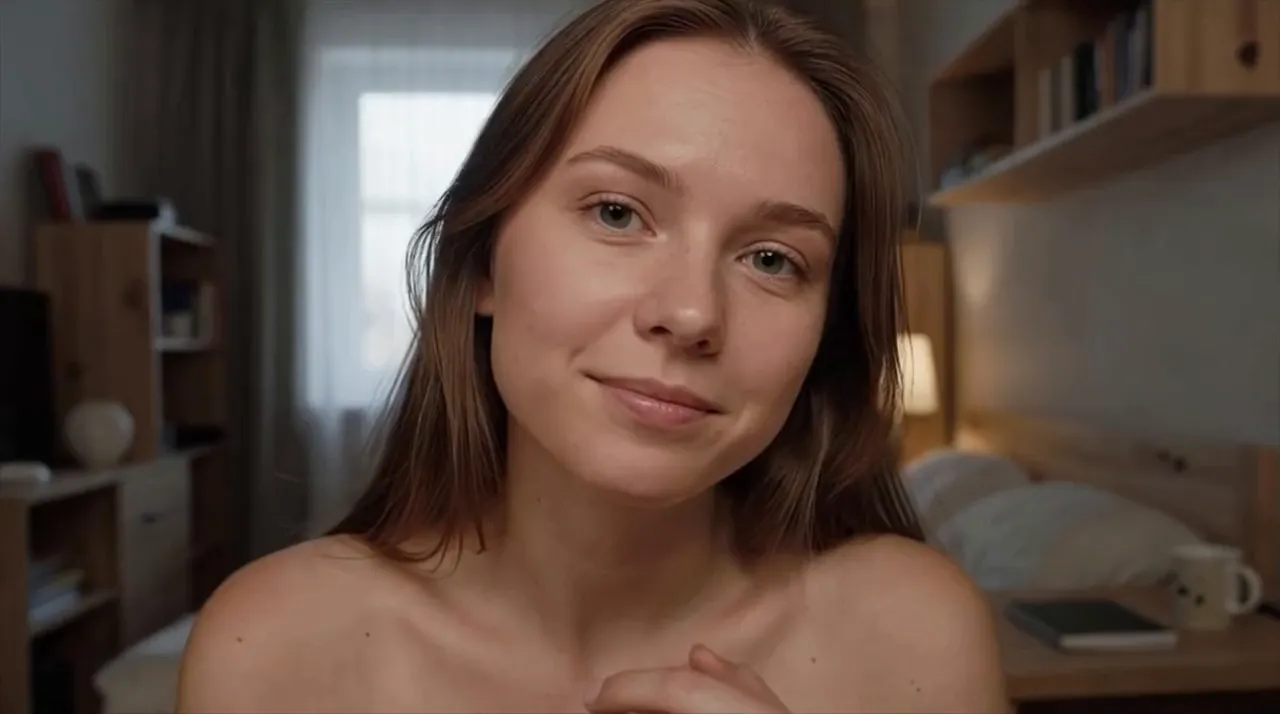
 Heard as it is said. Panda keeps no copy to play back afterwards.
Live Video Chat One Person, Real Time, Nothing Recorded
Press Start, answer your browser's camera prompt, and you are face to face with one person picked at random. Next ends the call for both of you, whenever either of you wants.
 Start a Live Call
By pressing start you confirm your age is 18+ and accept our Terms and Privacy Policy.
 One person at a time
 No charge by the minute
 Not recorded or stored
What live means
What Makes a Live Video Chat Live
Live means the face and the voice in front of you are happening on the other side at that same moment. Nobody filmed them earlier, nobody trimmed the awkward pause, and there is no second take. Both of you are inside the same minute.
That sets a call apart from almost everything else you watch on a screen. A clip was filmed before you pressed play, and someone chose which parts you would see. A stream puts one person in front of an audience that mostly watches. In a live video call, the other person reacts to your words and your expression as they arrive, and you react back. That is why a small joke can land better live than it ever would in a message, and why a long silence feels longer. Small accidents are part of it too: if a dog barks or someone knocks on a door, it happens on the call, and that unplanned moment often gets a conversation going.
On Panda, that moment is shared by two people only. You press Start, the match is random, and the conversation belongs to the two of you. If the 1v1 video chat format is new to you, think of it as the opposite of a stage: no rows of viewers, no comments scrolling past, just one face looking back at yours and a conversation that exists while you are both in it.
The prompter for a live call
Nothing here yet. You both improvise.
A clipFilmed, cut, then shown later
A feedPicked in advance, the best of many
A live callSeen and heard as it happens
How it runs
How a Live Call on Panda Starts, Runs and Ends
Panda's live video chat runs in the browser you already use, so there is nothing to install, and you can start without an account. Each call has three moments worth knowing: the start, the conversation and the end.
Press Start and your browser shows a camera permission prompt; once you allow it, you can still change that choice later in the browser's site settings. Panda then pairs you at random with one other person, and the call opens for both of you. From that point you are live. They can see and hear you, and you can see and hear them, and what you say reaches them as you say it, with no pause to tidy it up first. If you dismissed the camera prompt by mistake, the camera icon in the address bar usually lets you change your answer.
Ending is just as quick. Press Next and the call closes for both of you, then a new match begins; the other person can do the same at any moment, so a short call is never a verdict on you. If someone breaks the rules, press Report first, then Next. Because every match on Panda is random, no two calls follow the same script, and the random video call guide covers that side of things, from who you might meet to why some calls last seconds and others an hour.
The light over the call
On call
 Report works while the light is on, before you press Next.
Picture and sound
What to Sort Out Before a Live Cam Chat
A live call cannot be fixed afterwards, so the half minute you spend before pressing Start shows on screen for the whole conversation. None of it needs new equipment, only a few small choices about where you sit and what else is running.
Whatever happens in your room goes out with the call, as it happens. Turn off notification sounds first: through your speakers, your microphone can pick them up and pass them on at the same moment you hear them. Bluetooth earbuds are handy but can add a small delay of their own on top of the connection, which makes talking over each other more likely; a wired pair avoids that. If another program, such as a work meeting app, is already using the camera, close it before you start, because many computers let only one program use the camera at a time.
A live picture also needs a steady flow of data in both directions at once. Sit within easy reach of your router, pause large downloads, and expect a moment of frozen picture if someone else at home starts streaming a movie. One glance at the light is worth it too: with a window behind you, your face turns dark, and nothing on a live call can brighten it afterwards. The same checks help on a cam to cam video chat too, where both pictures travel live.
Connection forecast
General conditions for any video call
 Near your router, little else runningClear
 Others streaming on your networkCloudy
 Moving around on mobile dataShowers
A weak moment shows up as a frozen frame or a clipped word, and it often passes on its own.
After the call
What Is Left When a Live Call Ends
On Panda's side, there is no copy of the call. Calls are not recorded or stored, so when Next closes a call nothing is waiting somewhere to be watched again, shared or leaked.
While it runs, the call is encrypted and no one else can access it. Your IP address, the number that points to your internet connection, passes through Panda's server and does not reach the other person. You can begin without an account, and if you skip it, there is no account data on file for you. That combination is the starting point of an anonymous video chat on Panda, and live calls work the same way.
What Panda does not keep, the other person still sees in the moment: your face, your room and anything you say. A phone pointed at a screen can capture any call on any site, so share only what you would be comfortable having seen replayed, and keep your full name, address and workplace for people you already know.
As for cost, a free live video chat on Panda needs no coins, no membership and no charge by the minute. Paid extras exist and are optional, and buying one is not exposed on a card statement. The usual rates of your internet provider or mobile operator still apply.
The tape from your last call
Live callSide A
 Encrypted while it is live
 Your IP address is not shown to them
 Purchases not exposed on card statements
A call plays once, for the two people in it.
Live manners
Manners for a Call With No Edit Button
With no edit button, the first minute of a call sets the tone. A plain hello, a smile and one easy question about the other person do more than any rehearsed opening line.
Every call carries a small delay between speaking and being heard. Most of the time you will not notice it, but on a weaker connection it can stretch just enough for both of you to start talking at once. Say your piece, then leave a beat before you go on; if you collide, laugh, say go ahead, and let them finish. Ask before you steer toward anything personal, and remember that you cannot see who else is in their room, just as they cannot see who is in yours. A camera shows a frame, not the whole space. When you want to leave, a quick thanks before Next takes a second and gives the other person a kinder last moment.
Panda is for adults: you must be 18 or older to use it, and pressing Start confirms that. Spamming and selling are off limits, and Panda's rules apply to everyone on a call. Panda cannot promise that every call will feel right, so your side of the call stays yours to manage. You never owe anyone a longer call, a closer angle or personal details, and nobody owes you those either. If someone keeps pushing after a no, press Report, then Next.
A table for two
House rule
Either chair can stand up at any time, no reason needed.
Next is how you stand up: it ends the call for both of you.
FAQ
What People Ask Before Going Live
Is Panda Video Chat a live streaming site?
No. Streaming sites put one person in front of many viewers, who usually watch and type rather than appear on camera themselves. Panda connects you with one other person at a time for a two way video call, which is encrypted and which no one else can access. You do not build an audience or perform for anyone; you simply talk with whoever the random match brings, and either of you can move on when the conversation runs its course. If you want an audience, a streaming site is the right tool; if you want a conversation with one person, this is.
Can I watch a call again after it ends?
No. There is no replay and no list of past calls to scroll back through. Your browser history may show that you visited the site, but not what was said or seen during a call. If you want to remember something from a conversation, such as a book or a song the other person mentioned, write it down while you are still talking.
Is a live call on Panda charged by the minute?
No. The length of a call changes nothing about its price, because one to one calls carry no meter at all. That makes it easy to stay when a talk is going well and just as easy to leave after a minute; neither choice is a money decision. The only charges that can come into it are the ones your internet or phone plan already has, as with anything else you do online. If you ever see a price, it belongs to an optional extra, not to the call itself.
Can I take a live call on mobile data?
Yes. Panda runs in the browser on your phone as well, and a call works over mobile data as long as the signal is steady. Video uses far more data than messages, so a long call can eat into a monthly allowance, and the usual rates of your operator apply. Staying in one place helps more than you might expect: moving around can weaken the signal, and on a street the phone may switch between cell towers, which can freeze the picture or drop the call. If your plan has a data cap, a home network is the better choice for longer calls. Pausing automatic app updates or photo backups for the length of a call keeps them from using data in the background.
Why does the picture sometimes freeze or fall behind the sound?
A call sends picture and sound in both directions at the same time, and when the connection dips, the picture is often the first thing to suffer. You might see a frozen frame, blocky detail or lips that trail the voice for a moment. Closing unused browser tabs and other apps that use the network often helps, and restarting the router sometimes does. If it keeps happening, pressing Next for a fresh match may also land you with someone whose connection is steadier. If their picture stops mid sentence, wait a moment rather than talking to a still face, then ask whether they can still hear you.
What happens if my connection drops in the middle of a call?
A dropped connection can end the call. Matches are random, so you cannot count on meeting the same person again; once you are back online, open Panda and start a new call. If the signal is weak, move somewhere steadier early rather than halfway through a good story. A quick test is to open any other site: if it loads slowly too, the problem is the connection on your side.
How long should a live call last?
There is no right length. Some calls end after a hello because the mood is not there, and that is normal on both sides. Others run long because the conversation keeps finding new turns. A useful habit is to stay at least long enough for a real answer to one question, then decide. If you catch yourself checking the time, it is fine to thank them and press Next. Nobody is keeping score, and a short call that ends kindly beats a long one that drags. Calls that end early are not wasted either: each one is a little practice at opening a conversation with someone new.
What if someone asks me to do something on camera that I do not want to do?
Say no, or simply leave. You do not need a reason and you do not need to explain. If they keep pushing, or the request breaks the rules, press Report while the call is still open and then Next. Keep in mind that the other person could capture their screen with another device, so anything you would not want kept is better left off camera, however friendly the conversation feels. The same applies the other way round: if you ask for something and they say no, the answer is no.
Why does pressing Start confirm that I am 18 or older?
The line under the button works as an agreement: pressing Start confirms that you are 18 or older and that you accept the Terms and the Privacy Policy. If anything in a call suggests the other person is younger than 18, press Report and then Next.
Is a shared room or an office a good place for a live call?
It can work, with a little care. People nearby hear your side of the conversation, and anyone who walks behind you appears in the picture, often without knowing it. Headphones keep the other voice to you, and a wall or a closed door behind you keeps the frame to yourself. On a work network, check what your employer allows first. If you cannot talk freely where you are, a later call from a quieter spot will go better than a whispered one.
Go Live With One Other Person
One person, in real time, right in your browser. No account needed, no charge by the minute, and nothing recorded. If the call is not for you, Next is one press away.
Start a Call Now