

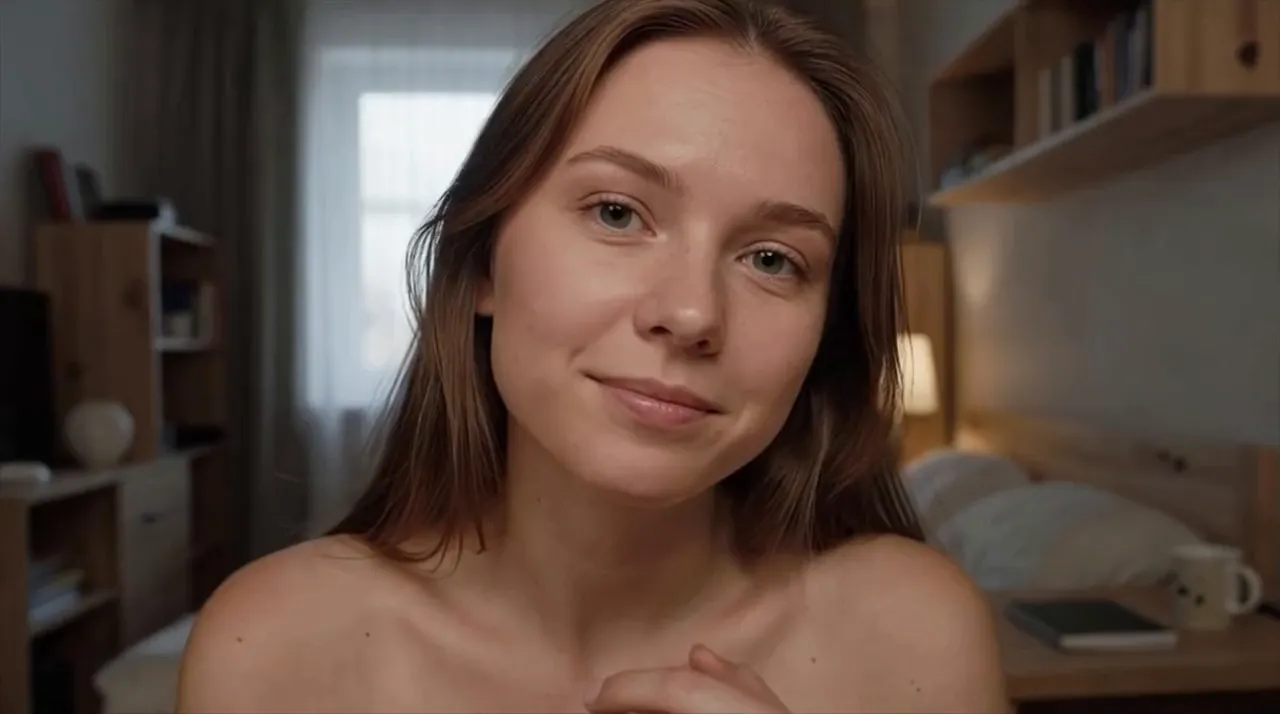
 Your camera shows them your face and your room
What Panda holds back
 No account needed to start
 Your IP is not shown to them
 Calls are not recorded
Anonymous Video Chat No Account Needed, Nothing Recorded
Press Start for a one to one call with a random person, right in your browser. Panda keeps your IP address away from them and records nothing. You can start without an account, and what else you share is up to you.
 Start a Call
By pressing start you confirm your age is 18+ and accept our Terms and Privacy Policy.
The meaning
Anonymous Video Chat on Panda: Unnamed, Not Unseen
On Panda, anonymous means unnamed. You can start a call without an account: press Start and you are in, and the person you meet knows you by what they see and hear rather than by a profile.
The word covers less than it suggests. A video call is made of your face and your voice, so the anonymity here covers who you are on paper: your name, your contact details, the address your connection comes from. It does not cover what you put in front of the lens. Press Start, allow the camera when your browser asks, and a random person appears on the other side; you can change that permission later in your browser settings. Neither of you has to arrive with a profile to study first, which is a large part of the appeal.
Every call is the two of you and nobody else, the same format our 1v1 video chat page walks through in more detail. If a conversation is going nowhere, Next ends it for both of you and a fresh random match begins. Each new match starts the same way, with two people meeting for the first time.
Where a Panda call sits
Without an account, no profile is attached, but your face still shows
No name on file is not the same as out of sight.
Behind the call
What Panda Keeps Back From the Other Person
Start with what the other person cannot get from Panda, however the conversation goes.
First, your IP address: the number your internet provider assigns to your connection, which can point to your area. On Panda that number travels as far as Panda's server and no further, so the other person never sees it. Second, the call leaves nothing behind for anyone to replay, because it is not recorded and not stored. Third, the call is encrypted, which keeps anyone outside it from getting in. Skip the account, too, and nothing is on file under your name, which leaves no account data to leak.
Paying is separate. The one to one call costs nothing and needs no purchase, which keeps this a free anonymous video chat for anyone who never buys a thing. Paid extras exist for people who want them, and if you do buy one, the purchase is not exposed on your card statement. That covers the statement, not the payment itself: your bank still processes it the way it processes any purchase. Your internet or mobile provider may also charge for the data, as with anything you do online.
The call, seen from outside
 Encrypted, so no one else gets in
 Start with no account on file
 Purchases not exposed on statements
This covers the call itself. What your camera shows is the part you control.
Your side
Your Camera Gives Away More Than a Name
Your face is the one detail Panda cannot leave out, because your face is the call. Whatever the camera picks up reaches the other screen live, and from there it is out of Panda's hands.
A face is hard to hide on a video call, so the useful question is what surrounds it. Context is what turns a face into a name: a uniform with a company logo, a university sweatshirt, a tattoo nobody else has, a street sign or skyline that locals would recognize. That is where an anonymous video call quietly stops being anonymous. Words work the same way. Mention the town you live in, the gym you go to and the manager you complain about by name, and you have described yourself about as clearly as an introduction would.
Then there is what happens on their side. A second device can photograph any screen, so treat the picture as something that might be kept, even though Panda itself records nothing. Aim for a frame that could belong to almost anyone: a plain wall or a curtain behind you, nothing with your name or address in view, nothing you would mind a stranger holding on to. That habit is worth keeping in any cam to cam video chat too, where both people are on camera from the first second.
Their screen is not the last stop


 Your face and voice, shown live
 A second phone can photograph a screen
 Logos, tattoos and street signs in view
Check your frame before Start: it is the one part of the call only you can edit.
Good habits
Habits That Help You Stay Anonymous
No single detail gives you away. The combination does: a first name, plus a city, plus a workplace, plus a handle you use everywhere, and a curious stranger can often find you without much effort.
A first name or a nickname is plenty for a chat with someone new. Leave out your surname, your phone number and your social media handles, at least until you have a real reason to trust the person, and remember that a username you reuse across apps can link those accounts together. If you do decide to swap contacts later, a handle you use nowhere else keeps the rest of your accounts out of it. In an anonymous cam chat, pressure is a common warning sign: someone who pushes for details, asks where exactly you live or wants to move to another app straight away. Press Next. It ends the call for both of you. If they cross a line, Report them before you go.
None of this means being cold. Plenty of good conversations happen between people who never swap names, and the habits that make a free video call with strangers feel easy work here as well: stay friendly, stay curious, and share more only when it feels right to you.
Small pieces add up
Your first name
University or workplace
The street outside
A handle you use elsewhere
One piece says little. Keep a piece back and the picture stays unfinished.
FAQ
Questions About Staying Anonymous
How anonymous is a Panda video call?
Anonymous in name, visible on camera. Starting without an account means no profile is attached to you, your IP address does not reach the other person, and the call is neither recorded nor stored. Anything they learn beyond that comes from your picture and your words, so how much they get is your decision. Panda handles the first part; the second part is in your hands each time you press Start.
Is the other person anonymous too?
They can start the same way, without an account, and Panda keeps their IP address away from you too. So you know little about them beyond the call itself: take what they say about themselves lightly, and treat any request for money, photos or contact details as a good moment to press Next. Anyone can claim any name, job or city on camera, and the call gives you no way to check.
What is the difference between anonymous and private?
Anonymous is about who you are: no name or account tied to the call. Private is about who else can get in: nobody, since the call is encrypted and only the two of you are in it. Neither one changes what the person facing you can see and hear. A call can be private without being anonymous, like a video call with a friend, and anonymous without being private, like a stranger in a crowded room.
Should I use a nickname instead of my real name?
Names are optional on a call, since you can begin without an account. If one comes up, your first name or a nickname will do, and there is no need to invent a whole story. Simply keep your surname, your workplace and your exact location to yourself until you know the person better. A nickname also spares you from giving a full name that is easy to look up online.
Does an incognito or private browser window help?
It helps on your own device, because the browser keeps no history of the session once the window is closed. It does nothing for what reaches the other person, who still sees your camera picture and hears your voice. Think of it as tidying up afterwards rather than as a disguise, and keep relying on your frame and your words for the part that matters on the call.
What if someone on a call recognizes me?
Stay calm and give nothing away. You do not have to confirm a name or answer questions about where you live or work. If they threaten to share your picture or keep pushing, use Report first, then press Next, which closes the call on both sides at once. Afterwards, look at your frame again and remove whatever gave you away. It helps to have a short line ready, such as saying you would rather keep things general.
If nobody knows my name, do the rules still apply?
They do. Panda is only for adults aged 18 and over, and spam or selling things to other people is not allowed. Panda does not promise that every call will feel safe, so trust your own judgment: press Next when a call turns sour, and use Report whenever someone crosses a line. Being unnamed changes nothing about how you are expected to treat the person in front of you.
What do I give up by skipping the account?
For one to one calls, nothing you need: you press Start and talk. The difference only shows if you buy extras, because a balance bought while you have no account can be lost. If you expect to buy extras often, weigh that risk against the small step of making an account, which stays optional either way.
Start Without an Account, Stay in Charge of the Rest
No account needed, no download, nothing recorded. Press Start, check your frame, and say hello to someone new. If a call is not for you, Next is always one press away.
Start Video Chat